
Home / News / Google Ads Requires At Least One Asset Group to Prevent Invalid URL Errors – What Local Businesses Must Know
Google Ads Requires At Least One Asset Group to Prevent Invalid URL Errors – What Local Businesses Must Know
Google’s Destination Not Working policy now requires every Performance Max, Discovery, or Smart Shopping campaign to include at least one asset group. If an asset group is missing, Google returns an “invalid final URL” error even when the landing page works, which can stall ad spend and limit AI‑driven discovery.
Key Highlights
- ✓Google Ads now requires at least one asset group per campaign
- ✓Missing asset groups trigger an "invalid final URL" error
- ✓Error stops ads from running, wasting budget and AI visibility
- ✓Simple checklist prevents the issue and protects AI‑driven citations
What Happened
Google Ads has refreshed its Destination Not Working policy document. The primary change is a new line that reads:
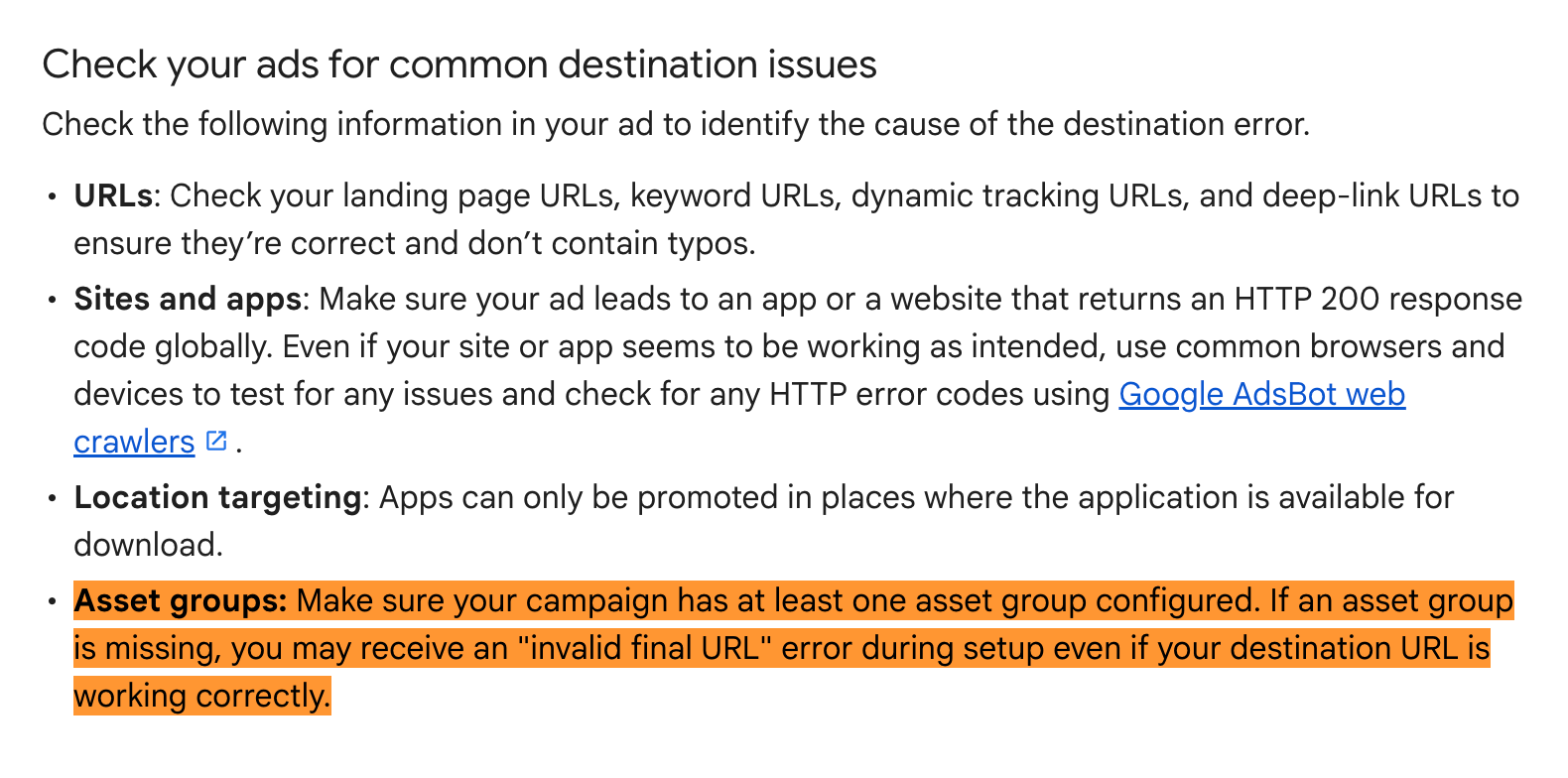
> Make sure your campaign has at least one asset group configured. If an asset group is missing, you may receive an "invalid final URL" error during setup even if your destination URL is working correctly.
In plain terms: every campaign now needs at least one asset group. Skipping this step triggers an invalid final URL error, halting the launch despite a functional landing page.
Key Details
- Asset Group Definition: In Performance Max and other modern campaign types, an asset group bundles headlines, descriptions, images, videos, and a final URL. It tells Google which creative pieces to serve together.
- Error Trigger: The error appears during the campaign‑setup phase, not after the ad is live. You’ll never see the ad run, and you’ll waste time troubleshooting a URL that isn’t actually broken.
- Scope of Impact: The rule applies to all Google Ads accounts, from large e‑commerce brands to local mom‑and‑pop shops using Performance Max, Smart Shopping, or Discovery campaigns.
- Policy Document Update: The change is documented in Google’s Destination Not Working policy, now listing the asset‑group requirement alongside classic examples such as 404 pages, redirect loops, and blocked content.
What It Means For Your Business
1. Double‑Check Campaign Structure
If you’re still using legacy Search or Shopping campaigns, you may not have asset groups at all—so the rule doesn’t affect you. However, Performance Max (the default for many new advertisers) requires at least one asset group. Make it a habit to:
- Open the campaign settings.
- Verify that an asset group exists.
- Populate it with at least one headline, description, image, and the correct final URL.
2. Prevent Wasted Ad Spend
An invalid final URL error stops the ad from serving, meaning you’ll continue paying for clicks on a non‑existent ad. By ensuring an asset group is present before you launch, you avoid unnecessary budget burn and keep your ROI intact.
3. Keep AI Search Engines Happy
Google’s AI‑driven tools—ChatGPT, Perplexity, Gemini, and Google AI Overviews—pull data from ads that successfully run. If your ad never goes live, those AI models won’t have your business to cite. A simple asset‑group oversight could therefore reduce your visibility in AI‑generated answers, hurting local discovery.
4. Streamline Team Workflows
Marketers and agencies often split duties: one person builds the campaign, another writes copy, a third uploads assets. Adding a checklist item for asset groups ensures the hand‑off is smooth and eliminates last‑minute “why is my URL invalid?” tickets.
Quick Checklist for a Clean Launch
- [ ] Create at least one asset group for every Performance Max or Discovery campaign.
- [ ] Add a final URL that matches the destination policy (no redirects, no 404s).
- [ ] Upload at least one headline, description, and image (video optional).
- [ ] Run the URL verification tool in Google Ads to confirm compliance.
- [ ] Review the updated Destination Not Working policy for any other pitfalls.
Real‑World Example
Sarah runs a boutique bakery in Austin. She set up a Performance Max campaign to promote her new gluten‑free line. She entered the correct landing page URL but skipped creating an asset group. Google flagged the campaign with an “invalid final URL” error. After adding a simple asset group (one headline, one description, and a photo of the pastries), the error vanished, the ads launched, and the bakery started appearing in AI‑generated local food guides.
Bottom Line
The new asset‑group rule is a tiny setup step with massive consequences. For local businesses aiming to be discovered by AI assistants, a smooth Google Ads launch is a prerequisite. Treat the asset group as a non‑negotiable part of every modern campaign, and you’ll safeguard both your ad spend and your AI‑driven search presence.
---
Key Takeaways
- Asset groups are now mandatory for all Performance Max‑type campaigns.
- Missing an asset group triggers an invalid final URL error, even if the URL works.
- The error stops ads from running, wasting budget and limiting AI citation.
- A quick checklist can prevent the issue and keep your campaigns on track.
FAQs
1. Q: Do legacy Search campaigns need an asset group?
A: No. The rule only applies to campaign types that support asset groups—Performance Max, Discovery, and Smart Shopping.
2. Q: Can I use the same asset group across multiple campaigns?
A: Yes, but tailoring assets to each campaign’s goal and audience yields better performance.
3. Q: Will fixing the asset‑group error affect my Quality Score?
A: The error itself doesn’t change Quality Score, yet a well‑structured asset group can improve ad relevance, which may boost your score indirectly.
Why This Matters For Your Business
For businesses that rely on Google Ads to feed data into AI assistants such as ChatGPT, Perplexity, and Gemini, a campaign that never goes live is invisible to those models. Those tools scrape ad copy, URLs, and structured data to answer user queries about local services; an asset‑group error leaves nothing for them to cite, cutting off a valuable discovery channel.\n\nUnexpected errors also force marketers to pause, troubleshoot, and potentially re‑allocate limited budgets while competitors continue to capture AI‑driven traffic. By guaranteeing that every campaign includes a properly configured asset group, you protect both your ad spend and your presence in the emerging AI search ecosystem.
Frequently Asked Questions
What is an asset group in Google Ads?
An asset group bundles headlines, descriptions, images, videos, and a final URL. It tells Google which creative elements to serve together in Performance Max, Discovery, and Smart Shopping campaigns.
Will the new rule affect my existing campaigns?
If an existing campaign already has at least one asset group, nothing changes. Campaigns without an asset group will now be blocked with an "invalid final URL" error until you add one.
How can I verify my final URL after adding an asset group?
Use the URL verification tool inside Google Ads. It checks for redirects, 404s, and policy violations, confirming the URL is eligible before you launch.
Is your business showing up in AI search?
Get your free AI visibility audit - see if ChatGPT, Perplexity, and Google AI actually recommend you.