
Home / News / Google Posts Update: Phone Numbers Now Require Verification
Google Posts Update: Phone Numbers Now Require Verification
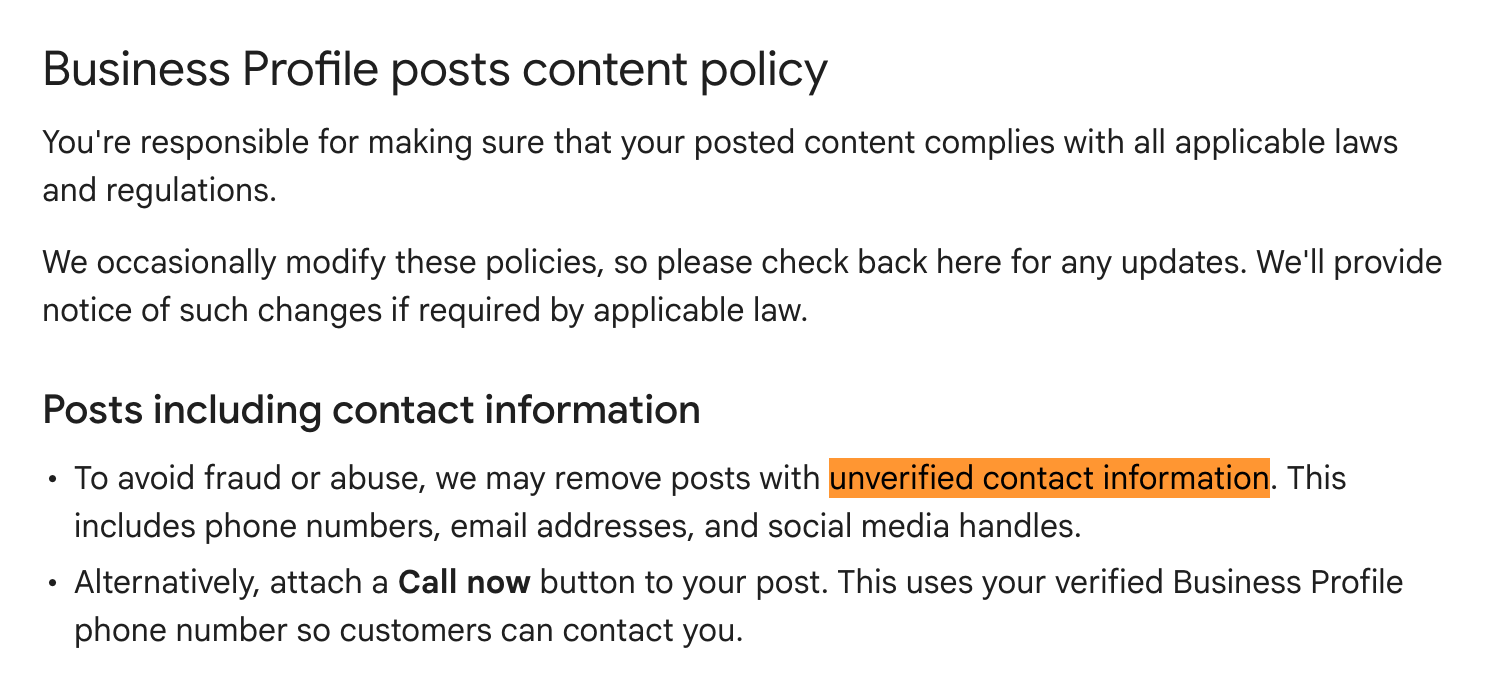
Google has tightened its Google Posts rules: only phone numbers that are verified in a Google Business Profile can appear in posts. Unverified numbers are now blocked, which improves the reliability of contact data that AI tools harvest from Google.
Key Highlights
- ✓Phone numbers in Google Posts must be verified
- ✓Unverified numbers are blocked from posting
- ✓AI assistants now see only verified contacts
- ✓Businesses need to verify numbers to maintain visibility
What Happened
Google recently revised two help‑center articles that explain how to add phone numbers to Google Posts. The updated policy makes it clear that a number will only display in a post if it has been verified as the business’s official contact. Any unverified or placeholder numbers are now rejected.
Key Details
- Verified Numbers Only – The phone number must be linked to a verified Google Business Profile.
- Help Documentation – The change is documented in the Add phone numbers to posts and Phone number formatting sections of the Google Posts Help Center.
- Automatic Blocking – When an unverified number is pasted into a draft, Google stops the post from publishing and prompts the owner to verify the number first.
- No Workarounds – Adding the number to a website or the business profile remains allowed; the restriction applies solely to the post itself.
- Impact on AI Tools – AI assistants that scrape Google Posts will now encounter only verified numbers, which raises the overall quality of data fed to those systems.
What It Means For Your Business
1. Trust and Credibility
AI‑driven search assistants such as ChatGPT, Gemini, and Perplexity pull contact details from Google Posts to answer user queries. If your number isn’t verified, it won’t surface in those AI responses, potentially reducing inbound calls and foot traffic.
2. Consistency Across Channels
Once you verify a phone number in Google Business Profile, the same number can be used automatically in all future posts. This ensures your contact information stays uniform across listings, posts, and AI‑generated answers.
3. Faster Response to Customer Inquiries
Verified numbers appear in chatbots and voice assistants. When a shopper asks, “What’s the phone number for XYZ Bakery?” the assistant can provide the correct digits instantly, improving conversion chances.
4. Better Data Hygiene for AI
By blocking unverified numbers, Google lowers the risk of spam or incorrect data being harvested by AI. Consequently, your business details are more likely to be displayed accurately in AI‑generated summaries, maps, and local search results.
5. Action Steps for Owners
- Verify Your Number: Open Google My Business → Info → Phone and click “Verify”.
- Update Posts: When creating a new post, insert the verified number; it will publish without issue.
- Check for Errors: If a number is rejected, confirm it matches the one listed in your profile.
- Monitor AI Responses: Use tools like VisibilityAI to see how your contact info appears in AI‑driven search results.
6. Long‑Term Benefits
Verified contact data strengthens your local‑SEO signal. As AI platforms increasingly treat Google Posts as a source of truth, a verified number can help you rank higher in “People also ask” boxes, featured snippets, and voice‑search answers.
Conclusion
Google’s new phone‑verification requirement for Posts is a modest tweak with sizable implications. By confirming your contact number, you boost trust, visibility, and the accuracy of AI tools that guide customers to your business. Take action now to keep your phone number accessible across every discovery channel.
Why This Matters For Your Business
For local businesses, AI‑driven search is becoming the primary way customers discover services. When AI assistants query Google Posts for contact information, they only return numbers that Google has verified. An unverified number disappears from those answers, meaning missed calls and fewer walk‑ins. Verified contact details also send a quality signal to search algorithms. AI systems prioritize data that comes from trusted sources, so a verified phone number can improve rankings in featured snippets, local packs, and voice‑search results. In a marketplace where shoppers expect instant, reliable answers, that edge can be the difference between winning a customer and losing them to a competitor.
Frequently Asked Questions
What is a verified phone number?
A verified phone number is one confirmed through Google My Business. Google sends a verification code via SMS or a voice call, and you enter that code to prove ownership.
Can I use a different number in my Google Posts?
No. Only the phone number that is verified in your Google Business Profile can appear in Posts. Any other number will be blocked.
Will this affect my existing posts?
Existing posts that contain unverified numbers will remain visible for now, but Google may flag or remove them if the policy is enforced retroactively. Updating them to the verified number is recommended.
Is your business showing up in AI search?
Get your free AI visibility audit - see if ChatGPT, Perplexity, and Google AI actually recommend you.