
Home / News / Google Tests Removing Horizontal Rule Line Under Search Tabs
Google Tests Removing Horizontal Rule Line Under Search Tabs
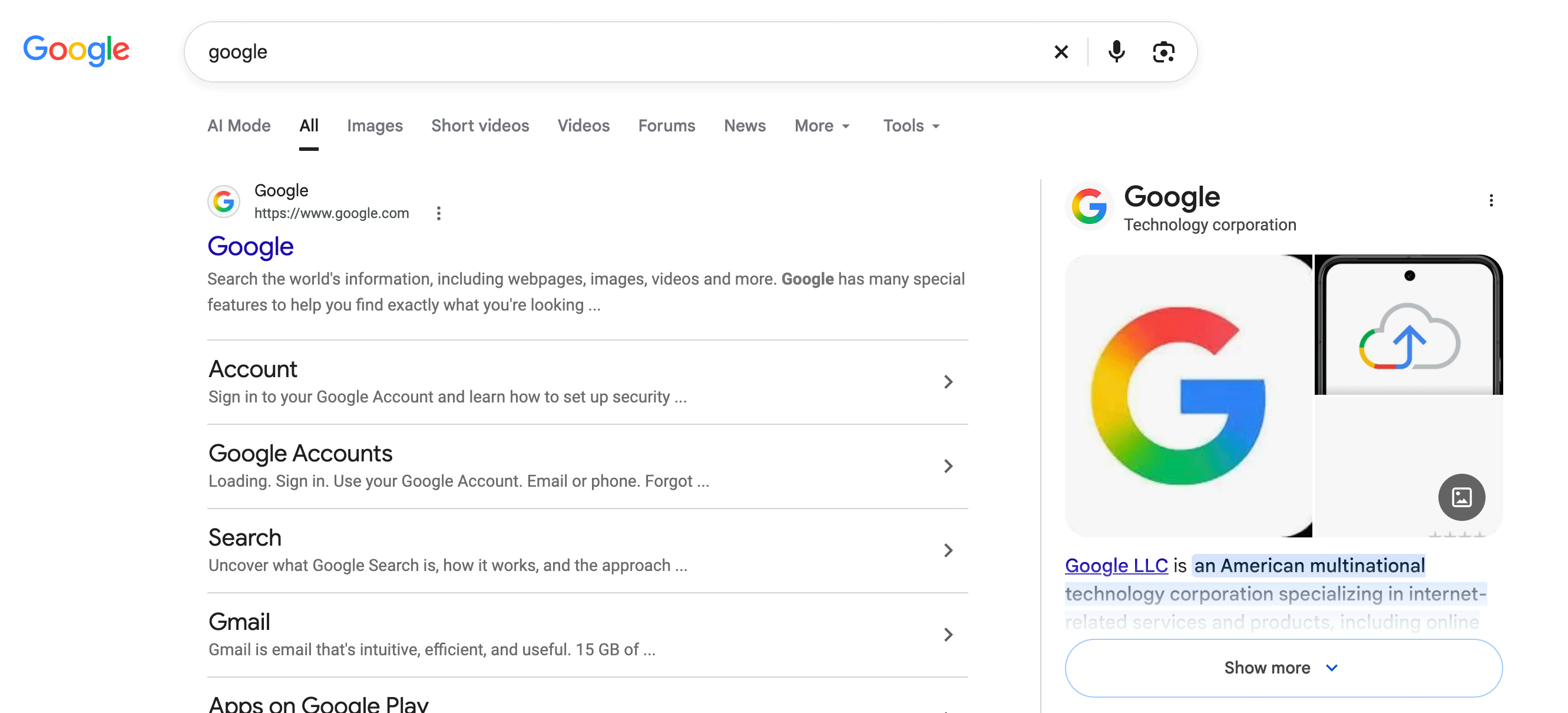
Google has started a quiet test that removes the thin gray line beneath the desktop search tabs on SERPs. While the visual tweak is subtle, it could shift click‑through patterns and affect how AI‑driven tools surface local business listings.
Key Highlights
- ✓Google is testing removal of the horizontal rule line under search tabs.
- ✓The change could affect click‑through rates for organic results.
- ✓AI tools that scrape SERPs may see a cleaner DOM, impacting citation algorithms.
- ✓Local businesses should audit schema and monitor rankings during the test.
What Happened
On October 20, 2026, Google rolled out a modest visual experiment on its desktop search results pages. The familiar thin gray bar—implemented with an <hr> tag—that normally separates the navigation tabs (All, Images, News, etc.) from the rest of the page is being hidden for a portion of users. SEO practitioner Sachin Patel first reported the change, and Barry Schwartz later confirmed it on Search Engine Roundtable.
The test is straightforward:
- With the line – a narrow gray rule sits directly under the tabs, giving the page a clear visual break.
- Without the line – the tabs blend into the white background, creating a more open‑feeling layout.
Both versions are live simultaneously, allowing Google to compare engagement metrics such as click‑through rates (CTR), dwell time, and scroll depth.
---
Key Details
- Location of the change: The
<hr>element appears immediately below the navigation tabs on the desktop SERP. Mobile layouts use different markup, so the test currently targets desktop users. - Technical note: Historically, the
<hr>tag signals a thematic break in HTML. Removing it does not impact indexing, but it does alter the page’s visual hierarchy. - Who noticed it: Community members on X, Reddit, and various newsletters have shared screenshots, confirming the test spans multiple regions.
- Possible motivations:
1. Cleaner design – Google may be nudging its UI toward a more minimal aesthetic, echoing recent updates to Gmail and Maps.
2. Higher ad visibility – Eliminating the line brings the ad carousel closer to the tabs, potentially boosting ad impressions.
3. AI‑friendly layout – Tools that scrape SERPs (e.g., ChatGPT, Perplexity) rely on consistent DOM structures; a smoother layout could simplify content extraction.
- Testing timeline: Google has not issued a statement, but past UI experiments have lasted from a few weeks to several months before a final rollout.
---
What It Means For Your Business
1. **Click‑Through Rates May Shift**
The horizontal rule acted as a visual cue separating navigation from organic results. Its removal might encourage users to scroll past the tabs more quickly, which could lower CTR for results that appear lower on the page. If your business depends on visibility in the “All” or “News” tabs, expect a small dip in CTR while the test runs.
2. **AI‑Driven Citations Could Be Affected**
ChatGPT, Perplexity, and Google AI Overviews pull data straight from SERPs. A cleaner DOM may make parsing easier, but the loss of a visual break could also shift the hierarchy these models use to rank relevance. For local businesses, this reinforces the need for robust structured data (Schema.org) and concise meta descriptions—AI will lean more heavily on those signals when the visual cue disappears.
3. **Ad Placement Becomes More Prominent**
Without the line, the ad carousel sits nearer to the top of the page, potentially increasing ad visibility and click‑throughs. Small firms that have not yet invested in Google Ads should re‑evaluate their budget, as the line‑free layout could divert traffic toward paid results.
4. **Design Consistency Across Devices**
Desktop UI tweaks often precede mobile rollouts. Verify that your mobile‑friendly landing pages maintain the same visual flow, branding, button placement, and schema markup to preserve performance regardless of UI changes.
5. **Opportunity to Test Your Own Layouts**
If Google is willing to tweak a single line, you can experiment with micro‑elements on your site—headings, call‑to‑action buttons, or schema tweaks—to boost engagement and AI discoverability.
---
Actionable Checklist for Local Business Owners
- Audit your schema: Ensure
LocalBusiness,Organization, andFAQmarkup are present and error‑free. - Refresh meta titles & descriptions: Keep them under 60/160 characters and embed primary keywords.
- Monitor SERP rankings: Use tools like VisibilityAI to track position changes or AI citations during the test.
- Consider modest ad spend: If you’re not already running Google Ads, a small budget can capture the extra attention the new layout may generate.
- Stay informed: Follow reputable SEO blogs and Google’s official channels for any rollout updates.
---
Bottom Line
A single horizontal line may appear trivial, but Google’s UI experiments often send ripples through the entire search ecosystem. For businesses that rely on being found and cited by AI tools, staying ahead of these subtle shifts can mean the difference between a steady flow of leads and an unexpected dip in visibility.
Stay proactive, keep your structured data sharp, and watch SERP trends with VisibilityAI’s real‑time alerts.
Why This Matters For Your Business
For businesses that depend on AI‑driven search assistants—such as ChatGPT, Perplexity, and Google AI Overviews—the visual structure of Google’s SERP is more than cosmetic. These assistants parse the page’s HTML to decide which snippets to surface, and the removal of the `<hr>` tag subtly reshapes the DOM hierarchy. That shift can change the weight AI models assign to different sections, potentially affecting how often a local listing appears in automated answers. Moreover, the test hints at Google’s broader move toward a minimalist interface, a pattern that frequently precedes larger algorithmic tweaks. When the UI becomes cleaner, Google often refines how it ranks and surfaces content for AI queries. By monitoring this experiment and fine‑tuning structured data, meta information, and ad spend, businesses can mitigate any negative impact and even capitalize on new visibility opportunities presented by a tidier SERP layout.
Frequently Asked Questions
Will the removal of the line affect my current rankings?
The change is visual only, but it may influence click‑through rates, which can indirectly affect rankings. Keep an eye on CTR trends and adjust your meta data if needed.
How can I see if the test is affecting my site?
Use VisibilityAI or a similar SERP monitoring tool to track impressions, clicks, and AI citations before, during, and after the test period.
Should I invest more in Google Ads because of this change?
Potentially. If the line removal pushes ads closer to the top of the page, a modest ad budget can capture additional traffic that might otherwise go to organic results.
Is your business showing up in AI search?
Get your free AI visibility audit - see if ChatGPT, Perplexity, and Google AI actually recommend you.